


Hi, I’m Hannah! Welcome to Nonlinear News, where I write for smart, ambitious people choosing the nonlinear path.
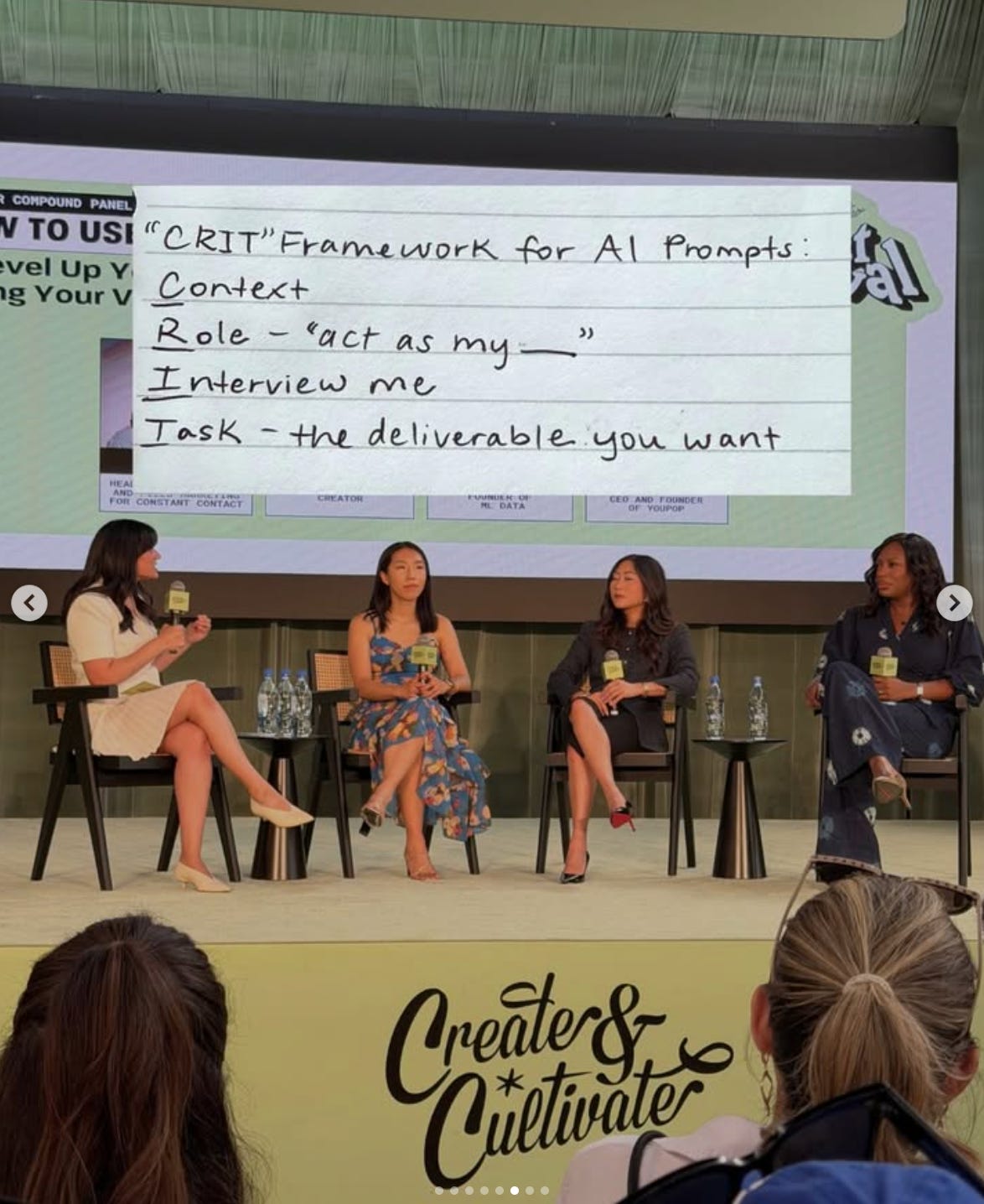
Last weekend, I flew to LA to speak at Create & Cultivate, the world’s largest festival for women in business on a panel called “How to Use AI to Level Up Your Content Without Losing Your Voice”.
If you told me a year ago (or even 6 months ago!) that I’d be talking onstage about AI to a roomful of 100 women founders, creators and operators…
…and that they’d be taking notes and asking me about it after, I definitely wouldn’t have believed you!
AI workflows aren’t exactly the sexiest topic when you’re competing with founders like Whitney Wolfe Herd, creators like Alix Earle, and brand activations across the festival!
One woman came up afterward and told me, “I realized I’m not using AI to the best of my abilities because I mostly just ask it basic questions.”
I knew exactly what she meant. A lot of AI use (including mine!) still looks like opening ChatGPT, asking it to do something, getting a generic answer, re-prompting and still getting work that still smells like slop, and eventually giving up and doing it yourself.
I use AI every day to help me create content for an audience of more than 350K people across Instagram, LinkedIn, TikTok, and this newsletter. It’s also what’s helped me build my creator business while working a full-time job for two years.
But my audience didn’t grow because AI figured out what I should say and created for me. It helped me amplify my voice, my ideas, and my stories: quitting investment banking, breaking into marketing, building a business outside my 9-5, and navigating my nonlinear career in public.
I know most of you couldn’t fly to Los Angeles for a 40-minute panel, so today I’m writing up my notes from the session, including:
The 3-stage system I use to create content for a 350K+ audience
The CRIT framework and reusable prompt I use to get better output from AI
The voice file, story bank, and anti-slop list that keep your content from sounding generic
Which parts of my content process I automate and which decisions I always make myself
How I decide whether a new AI tool will improve my workflow or create more work
Plus the best ideas my co-panelists Megan Lieu, Funbi Ibe, and Sarina Virk Torrendell (who I interviewed Sarina a few months ago about why knowledge creators have an unfair advantage!) shared about content, community, and their own AI workflows
My content system has three stages: idea, script, production
I think about almost every piece of content in three stages:
Idea: What do I have to say, and why would someone care?
Script: What’s the strongest way to structure and express it?
Production: How does it get filmed, edited, published, repurposed, and distributed?
AI touches all three, but I use it differently at each stage.
1. Idea: I capture, AI organizes
My ideas come from two places:
Things I jot down as they happen. At a conference, I might keep adding thoughts to one long Todoist task throughout the day. I also save questions people ask me, half-formed opinions, voice notes, and thoughts I don’t want to forget.
Things I’ve already said or written while doing my work. This includes emails, Zoom transcripts, Notion pages, call notes, and conversations where I explained something useful to a client, friend, or collaborator without thinking of it as “content.”
I’ve connected ChatGPT to these tools so it can review both sources. Once a week, when I sit down to plan content, it organizes the ideas I’ve already captured into three pillars:
Reach: Ideas that could introduce my work to someone new
Trust: Stories or opinions that help you understand how I think
Proof: Examples that show I’ve done the work I teach
I almost never ask AI to invent content ideas for me. The ideas come from my brain. AI helps me find the good ones, organize them, and avoid losing them across five different apps.
2. Script: I choose the idea and write the outline
I decide what’s worth creating, then usually write the outline and rough first draft myself.
Once I know what I want to say, AI can help me research the topic, test hooks, find holes in the argument, and tighten the writing. If I ask it to start before I have an angle, it usually creates more work.
3. Production: AI helps move the finished idea through the system
The ideas I choose move into my Notion content calendar. Once the core script or outline is finished, AI helps create captions, prepare briefs for my editors, and adapt it for other platforms.
By the time anything gets published, I’ve chosen the idea, written the outline, supplied the opinion or story, checked the research, and edited the final version myself.
If I don’t have an opinion or perspective already, AI makes writing slower
During the panel, I shared an example of how I did and didn’t use AI to create one specific piece of content earlier that week.
The week before, I got to interview Lauren Rhode, the Head of Revenue at Lovable, for a video about how AI is changing who gets to build software.
I used AI to prepare for the conversation. It pulled together Lauren’s background, summarized interviews and articles, and helped me understand what she had already discussed publicly. That saved me hours of research.
But then I asked it to write the interview questions and they were way too generic. I kept prompting, rejecting, and waiting for another round. Eventually I realized writing the questions myself would’ve been faster.
I hadn’t decided what I wanted to get out of the conversation yet. Without that angle, AI gave me plausible questions that anyone could’ve asked. I could tell they were wrong, but I couldn’t give useful feedback because I hadn’t done enough of the thinking myself.
Once I knew what I wanted most to ask Lauren about (the most important skills in the age of AI, the problems worth building when building is cheap, and how Lovable empowers non-technical builders), the questions flowed from that.
That’s what I mean when I say I use AI as my copywriter and researcher, not my ghostwriter. I bring the opinion, story, angle, or rough first pass. It helps me research, organize, challenge, and improve it.
If I can’t explain what I believe yet, I tussle with the messy thinking a little longer.
Generic AI output is “unseasoned chicken”
Funbi gave a great name for generic AI content - “unseasoned chicken”!
The tool is accessible to everyone, which means everyone can produce the same competent baseline…it’s consumable, “tastes” ok, but it’s bland.
The “seasoning” is everything an LLM doesn’t have - a real story and details, from unexpected phrases an AI wouldn’t think to use, to how something felt or sounded in the exact moment, and even the occasional typo or misused punctuation.
AI didn’t work in investment banking, burn out, pivot into tech, struggle to get a marketing job, or build a creator business around a 9-5. It can organize those stories once I give them to it. It can’t supply them, and it can’t remember the conversation I had with my MD on my last day at work, or the anxiety I felt before posting my first piece of content. AI can’t fly to Create & Cultivate and write handwritten notes!
The same is true for your work. The sales call that changed how you describe your product, the project that failed, the strange path that gave you insight into your customer, and the opinion you hold because you have spent five years inside an industry…
When a draft sounds generic, you’ll rarely fix it by asking AI to “humanize” the writing. Instead, I add a real detail, a stronger opinion, or an example only I could give. If the underlying idea is generic, changing the sentence rhythm won’t save it.
Give your AI a voice file, a story bank, and an anti-slop list
Megan made a similar point during the panel: if you want AI to sound like you, you have to train it on your voice and keep giving it context. You can’t give it one prompt and expect it to understand how you think.
My version of that training lives in three files:
A voice file. I built mine by having AI interview me about how I talk and write, then giving it real samples across newsletters, LinkedIn posts, and video scripts. It includes my sentence rhythm, words I use, words I avoid, and how my voice changes by format.
A story bank. This includes experiences I return to often and the specific details that make them mine. AI can’t use my life in a draft unless I’ve given it access to the relevant parts.
An anti-slop list. Mine has dozens of phrases and structures I never want to publish: “quietly,” “genuinely,” constant “it’s not X, it’s Y” constructions, invented details like “the 3 a.m. phone call that changed my business,” and overly dramatic declarations like “That matters.” 🙄🙄 I update the list every time a new AI tell starts appearing everywhere.
These aren’t files I created once and forgot about. I update them whenever I edit a draft, remember a story, or catch another phrase I never want to publish.
They sit inside a larger AI second brain that knows who I am, what I’m building, how my business works, and which instructions apply to each part of my life. I wrote the full setup, including how to build the first version in 45 minutes, here!
You don’t need the full system to start. Give your AI five examples that sound like you, five stories you tell often, and ten phrases you hate. That will teach it more than asking it to “match my tone.”
“CRIT” makes AI ask the right questions before it starts writing
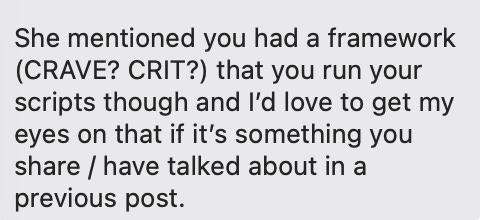
I shared the prompting framework that has most improved my results from AI: CRIT, which I learned from a podcast, and I believe was originally shared in Geoff Woods’s book The AI-Driven Leader.
CRIT stands for:
Context: Give AI the background, audience, goal, raw material, and constraints.
Role: Tell it who you need it to be for this task.
Interview: Have it ask you up to [3] questions, one at a time, to reveal any context you missed.
Task: Tell it exactly what you want it to make.
For example, most people start with the task: “Write me a LinkedIn post about AI.” Then they wonder why the result sounds generic.
Here is a content version you can adapt:
Context: I am writing for [audience]. I want this piece to help them [outcome]. Here are my raw notes, relevant experiences, examples of my writing, and anything I do not want included: [paste].
Role: Act as an experienced content strategist and copyeditor who understands [industry or format]. Preserve my ideas and voice instead of replacing them with generic advice.
Interview: Before you draft, ask me up to three questions, one at a time, to understand what I believe, which real example supports it, and what the reader should take away.
Task: Create [format and length]. Use [structure or requirements]. Do not invent facts, stories, or quotes. Flag anything that needs verification.
The interview step does the most work for me. I’m much better at answering a specific question than anticipating every piece of context the AI will need.
Your workflow should decide which AI tools you pay for, not the other way around
Megan made a point that I think saves a lot of money: start with your existing workflow, then use AI to improve the part that is slow or repetitive.
She said had paid for a year-long subscription to a complex video-generation tool because the demo looked useful, then barely used it. The tool added another step to a process that she didn’t need.
I’ve certainly been guilty of this too. There will always be another subscription promising to replace five tools, build a content team, or generate a month of posts in an afternoon.
Before adding one, I look at the process I already follow:
What does my process look like without AI tools?
Which step takes the most time?
Which step repeats often enough to deserve a system?
Does something I already pay for include the feature?
Zoom already creates transcripts and meeting summaries. ChatGPT can research, organize ideas, and work across several parts of my business. Notion already holds my content calendar. I get more value from connecting tools I use every week than forcing a new one into the workflow because “it’s cool”.
Automate busywork and operations, not judgment
Even though the panel was about “using AI to create content”, most of the AI use cases we talked about had little to do with asking AI to actually write.
Megan described a daily Slack summary that pulls open items from email, Slack, and other channels so her team knows what needs attention. I use AI to route selected ideas into my content calendar, draft production notes, assign work to editors, and help repurpose a finished piece.
Funbi gave a similar example with brand briefs she shares with partners and creators as a marketer. She uses AI to organize the parts of brand briefs that are recurring, and aggregate information into a first draft, but she keeps the strategy and creative direction unique to each campaign human and dynamic.
The work I always keep human includes:
Deciding which idea is worth someone’s attention
Figuring out what opinion or perspective I want to share
Supplying the lived experience and specific story
Making sure the final wording sounds like me
The best content ideas come from your audience
One of the best ways to avoid AI slop is to give AI human input, but that input doesn’t always have to come from you as a creator, marketer or founder.
Funbi pushed the conversation beyond just creating and posting: A social post can help someone discover you, but a newsletter, community, or event gives them a way to respond. Use that feedback as part of your content system.
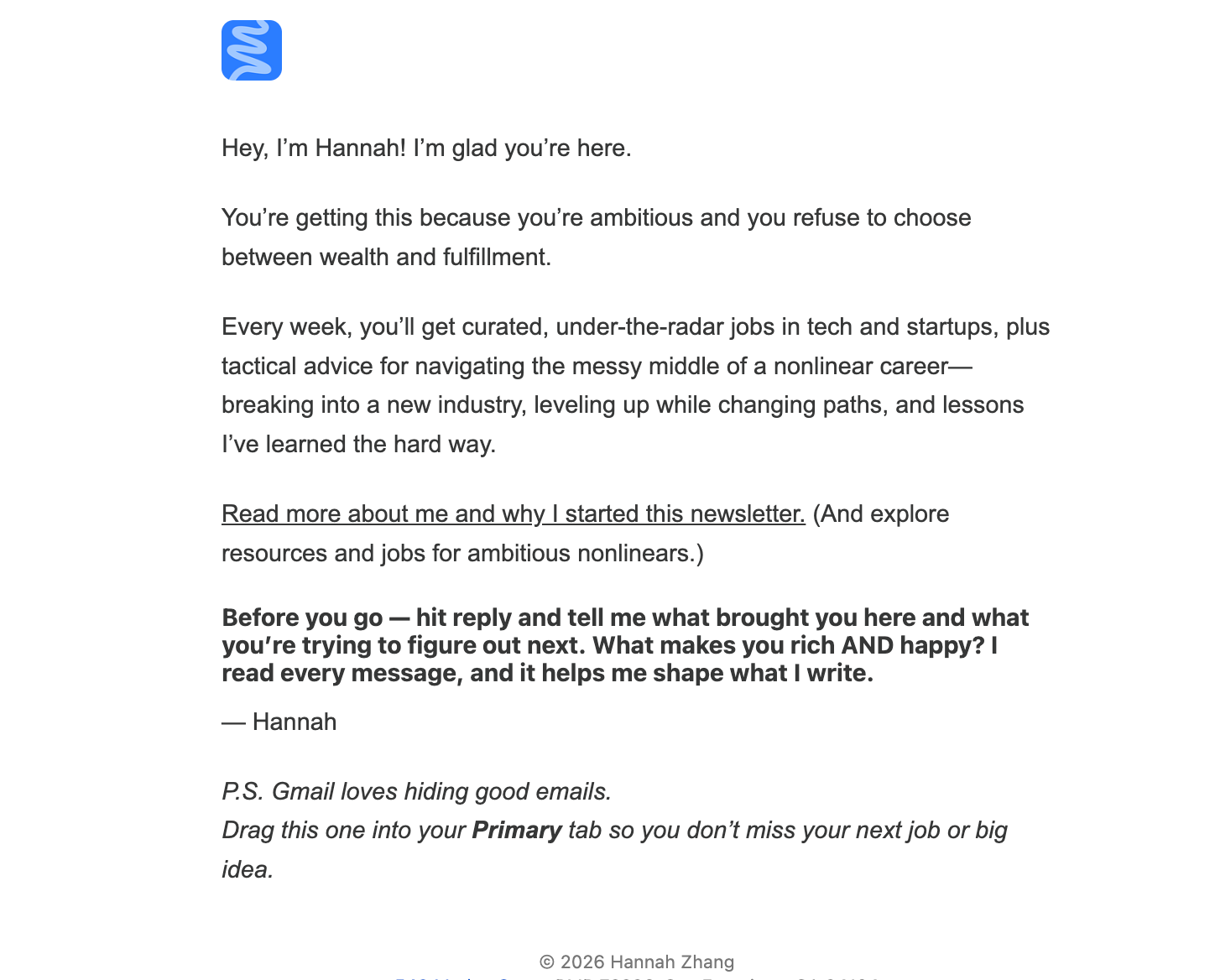
I learn what resonates with my audience (you!) from newsletter replies, DMs, comments, questions at events. These conversations show me what people are confused about, which ideas they disagree with (disagreement is good!), and what they want me to explore next. Here’s the email you get when you sign up for my Substack; I have an AI automation that summarizes the replies I get and use that as inspiration for future content.
When several people ask me the same question, I save it as a potential topic. A thoughtful disagreement can show me where an argument needs more nuance. Sometimes the language my audience uses to describe a problem or idea back to me is better than anything I would’ve written myself.
If you feel behind with AI, start here
If you read all of this and now feel like you have a million things to change about how you use AI, I get it!!
Everyone on the panel uses AI constantly, yet every one of us still had workflows we wanted to improve. I always leave conversations like this with five new tools to try and ten ideas for rebuilding my systems. It’s overwhelming to say the least.
But you don’t need to do all of that this week. My suggestion to the audience was to start with ONE bottleneck that’s been annoying you. A few examples…
You never know what to post: Put your notes, call transcripts, audience questions, and useful emails in one place. Or even better - connect sources like Email, Zoom, Notion…whatever you use…to AI. Then ask AI to find potential topics from the work you’ve already done and the conversations you’re already having.
You have too many ideas: Give AI your audience, positioning, and content pillars. (Wrote about this here if you need help getting started!) Have it sort what you’ve captured into reach, trust, and proof so you have the right mix of content.
Research takes too long: Use AI to summarize your source material and identify gaps, then check the final draft against the original sources.
Your AI’s answers sound generic: Build a voice file, story bank, and anti-slop list. Use CRIT for your next prompt.
Posting creates too much admin burden: Automate captions or editor briefs after you’ve finished the ideating and scripting.
Pick one recurring task you already know how to do manually and find yourself doing constantly, then see whether AI can make one part of it faster without losing your voice and perspective.
The AI system I have today is far from perfect, and I didn’t build it in a day. I connected Todoist to ChatGPT because my ideas were disorganized and AI could help me sort them into pillars. I built my voice file because I was tired of correcting the same phrases (“Stop using QUIETLY out of context!!!!”). I started automating sending links and briefs to my editors because the handoffs were taking time away from creating.
If you’re starting or leveling up (I always am too!), don’t try to build an entire AI content system this week. Pick one recurring task that annoys you and spend 30 minutes figuring out how AI could make it easier.
Comment and tell me which task you’re going to work on. And if you already have an AI workflow you love, tell me the one thing you’d recommend to someone who’s getting started. I want to try some of your ideas too!

📣 Get your free 5-9 Creator Starter Kit
Build your LinkedIn personal brand in 14 days via my guided Notion brand sprint
Find me on: Instagram, Linkedin, Tiktok, Youtube

✋ NexusPoint — Not a tool, but this is the best resource I’ve used so far for hiring assistants and editors overseas (and I’ve tried a LOT) - they take care of everything up to the point of hiring and don’t charge until you onboard someone → Book a free discovery call
🏦 Relay — If you’re still using your personal bank account for your business, switch to Relay in 5 minutes and thank me later. → Try Relay
💬 Stanley — If you’ve been wanting to post more consistently on LinkedIn, this is the writing partner I use. You’ll get a 3-day free trial with my link → Try Stanley
🎙️ Wispr Flow — Voice-to-text that actually works. I dictate messages, prompts, and emails instead of typing, and it saves me hours every week talking to AI → Try Wispr Flow
👩🏻💻 Fiverr — My go-to for hiring freelancers for things like design, editing, one-off projects (I use Fiverr Pro to save time on vetting talent) → Try Fiverr
🧊 Othership — The sauna/cold plunge I go to! → Try Othership with my discount
🧾 Xero — The accounting software running the back end of my business. Bookkeeping and invoices without me having to think about it → Try Xero